	1. Download files https://drive.google.com/drive/folders/1rG9-Sk-ZwgHgGCYNxapyPYya1OTWTZKj?usp=sharing

	2. copy players/dummy1.js and players dummy2.js and name both to what you like

	3. open the created files.
		- Change class name to same as file with capital letter (suggestion)
			class Dummy2 extends Player {
		- update the player profil - team must be aligned, suggest same for color-isch
			  this.playerName = "dummy2"
			  this.team = "dummies"
			  this.bodyColor = "#ff33aa"
			  this.lineColor = "#ffffff"

	4. open index.html
		- Add these lines around line number 75:
		the src needs to match your created file names
		<_script type="text/javascript" src="players/dummy1.js"><_/script>
		<_script type="text/javascript" src="players/dummy2.js"><_/script>
			rawPlayerList.push(new Dummy1());
			rawPlayerList.push(new Dummy2());
		important!! remove the 2 "_" in each line when adding to index.html


	6. Start coding you AI spaceships
		- this function is called every frame:
		calculateAction(myself, teamList, enemyList, canonList, frameCount)
		this function should set: this.myAction = {rotation: this.aim.direction, engine: engine}; to whatever action you want
		deadplayers are still in list but with marked as player.dead = 1
		the objets passed into this function is what you are allowed to use.
		you can put functions and code anywhere in your "player"
		use this. for persistant variables

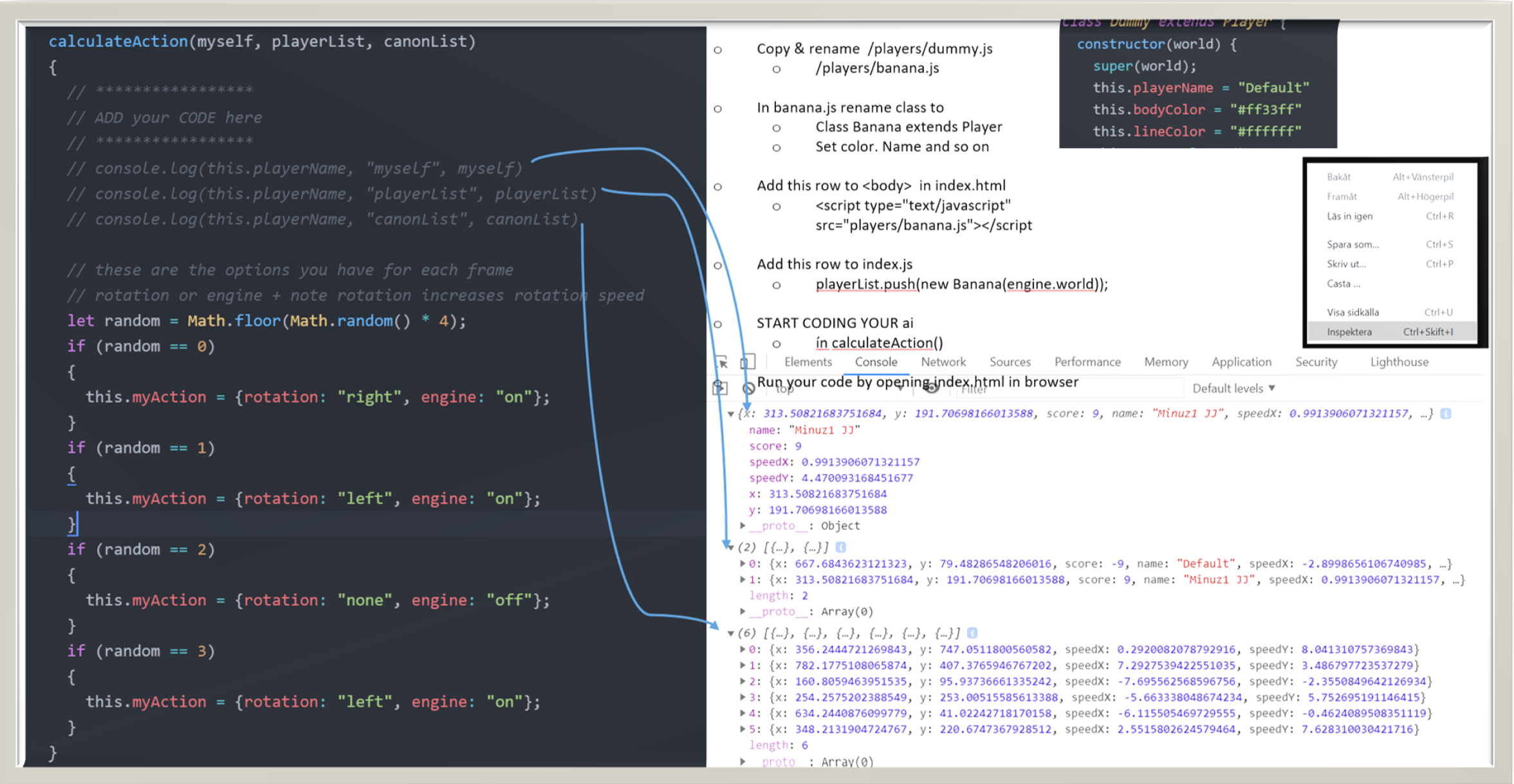
	7. Suggest to use debugger as js has a nice one.
			right click in browswer select insepect go to source and set breakpoint
			this allowsyou to inspect object contents very easily see pic below
 >
>